

A trader can spend months developing a profitable trading system and discover that the biggest obstacle to using it with a prop firm is not the challenge itself, but platform compatibility. An Expert Advisor may work perfectly on MetaTrader 4, for example, yet require a complete rewrite before it can run on MetaTrader 5. In another case, a firm may support MT5 but prohibit automated trading on certain account sizes.
That is why choosing a prop firm based on the phrase “MetaTrader supported” is not enough. Traders need to know which version is available, whether their account type supports it, whether the platform can be changed later, and which trading methods the firm permits.
MT4 and MT5 remain important options for forex and CFD traders, but the market has evolved. Some firms now offer MT5 exclusively, while others combine it with browser-based terminals or alternative platforms. This comparison examines seven firms from that perspective, with particular attention to platform access, automation, and restrictions that can affect a trader before the first trade.
MT4 vs. MT5: The Differences That Affect a Prop Challenge
MetaTrader 4 was designed primarily around retail forex trading and built a large ecosystem of indicators, scripts, and Expert Advisors. Many established automated strategies still use MQL4, the programming language associated with MT4.
MetaTrader 5 offers additional chart timeframes, more pending-order types, and a more advanced strategy-testing environment. It uses MQL5, which is not directly interchangeable with MQL4. Although MT5 supports a broad range of markets, the instruments available through a prop firm still depend on that firm’s offering.
| Practical Requirement | MT4 | MT5 |
|---|---|---|
| Existing MQL4 Expert Advisor | Native compatibility, subject to account rules | Requires an MT5-compatible version or redevelopment |
| New automated trading system | Suitable for systems developed in MQL4 | Offers MQL5 and a more advanced testing environment |
| Chart analysis | Nine standard timeframes | 21 standard timeframes |
| Pending orders | Four principal pending-order types | Six, including buy-stop-limit and sell-stop-limit |
| Strategy testing | EA testing and optimization | Multithreaded testing and expanded optimization tools |
| Long-established indicator libraries | Extensive legacy ecosystem | Extensive and growing MQL5 ecosystem |
| Prop firm availability | Offered by some firms, but increasingly limited | Available from a wider range of current providers |
Neither platform guarantees better trading results. The practical advantage depends on the strategy, the available instruments, the quality of the implementation, and the rules imposed by the prop firm.
Seven Prop Firms: Which Platform Can You Actually Use?
The table below uses a platform-access matrix rather than ranking firms by general popularity. It distinguishes firms offering both MetaTrader generations from those that provide MT5 without MT4.
| Rank | Prop Firm | MT4 | MT5 | Other Platforms | Main Point to Verify |
|---|---|---|---|---|---|
| 1 | FTMO | Yes, subject to availability | Yes, subject to availability | cTrader, TradingView and other supported options depending on region | Account type, regional availability, and strategy restrictions |
| 2 | FundedNext | Yes, on eligible CFD accounts | Yes, on eligible CFD accounts | cTrader, Match-Trader | Country restrictions, EA rules, and platform-switching policy |
| 3 | The5ers | Not listed for its current CFD platform offering | Yes, for eligible non-US clients | cTrader, TradingView, depending on region | Platform availability and selection are region-dependent |
| 4 | Leofins | Yes | Yes | cTrader, TradingView, DXtrade, Match-Trader | EA compatibility, prohibited strategies, and the selected evaluation’s risk rules |
| 5 | FundingPips | Not listed among its current supported platforms | Yes, subject to country eligibility | cTrader, Match-Trader | Confirm the platform shown for the selected account at checkout |
| 6 | BrightFunded | Not listed among its current supported platforms | Yes, subject to country eligibility | cTrader, DXtrade | MT5 restrictions in the US, UAE, and other restricted jurisdictions |
| 7 | City Traders Imperium | Not listed among its current supported platforms | Yes, subject to eligibility | Match-Trader | MT5 availability and whether the strategy requires an EA |
Platform availability can change, and some firms restrict products by region or account type. “Not listed” means the platform is not included in the firm’s current published lineup cited for this comparison; it is not a guarantee that the provider will never offer it. Always confirm the precise challenge before purchasing.
1. FTMO: A Choice for Traders With Established MetaTrader Workflows
FTMO is worth examining first if you want to choose between MT4 and MT5 rather than commit to a single MetaTrader generation. Its published platform offering includes both versions, alongside alternatives such as cTrader and TradingView, although the available options can vary by region.
For a trader with an established MQL4 system, MT4 can minimize the work required to transfer an existing strategy. Custom indicators, scripts, and EAs can remain in their familiar environment, provided they comply with the rules of the selected account.
MT5 is a reasonable alternative for traders who want its additional order types, broader range of timeframes, or strategy-testing tools. It can be especially useful when developing a new system rather than maintaining older code.
What matters beyond the terminal
FTMO distinguishes between account types with different trading conditions. For example, its Standard and Swing account arrangements have different rules regarding holding positions overnight and over weekends. The choice of terminal does not remove those restrictions.
Traders should also read the firm’s prohibited-trading practices before relying on an EA. An algorithm can be technically compatible with MT4 or MT5 yet still violate account rules because of its trading behavior.
FTMO describes its evaluation and FTMO Account environment as simulated. A MetaTrader login therefore gives access to the firm’s trading environment; it does not by itself establish that each order is executed in a live brokerage account.
Best fit: traders who want a choice between MT4 and MT5 and are prepared to match their platform selection to the account’s rules.
2. FundedNext: Both MetaTrader Versions, With Important EA Conditions
FundedNext supports MT4 and MT5 on eligible CFD accounts. It also provides cTrader and Match-Trader, giving traders alternatives if they prefer not to use MetaTrader.
However, platform availability and automation permissions are separate questions. FundedNext’s published guidance states that EA and bot usage is allowed on eligible MT4 and MT5 accounts below $50,000, subject to an additional usage fee and the firm’s restrictions. Accounts of $50,000 and above must be traded manually under the published policy. Automated trading is not allowed on cTrader or Match-Trader.
That distinction is particularly important for anyone buying a larger challenge specifically to run an EA. The platform may support automation technically, but the firm’s rules can prohibit it for the selected account.
The platform-switching decision
FundedNext states that the platform must be selected before the first trade. Once trading begins, the platform is locked, including for reset accounts. Its published rules also restrict MT4, MT5, and cTrader for US clients, for whom Match-Trader is the supported option.
These conditions make pre-purchase testing essential. Verify that the EA runs on the chosen terminal, that the account size permits automation, and that any additional fee is included in your budget.
Best fit: traders who want a choice of MetaTrader versions and have checked both regional eligibility and account-specific automation rules.
3. The5ers: MT5 for Eligible Non-US CFD Traders
The5ers currently lists MT5 among its CFD platforms for eligible non-US clients, alongside cTrader and TradingView. Its published platform guidance lists TradingView for US-based clients.
For MT5 users, the workflow includes registering for an evaluation and accessing the platform through the account hub and credentials supplied by the firm. The availability of a particular terminal should be confirmed before purchase, because regional restrictions may affect the selection.
A trader with an MQL4 EA should pay special attention here. MT5 support does not mean that an MT4 program will run without modification. If the strategy is available only as MQL4 code, a firm that does not list MT4 may not be a practical choice.
Check whether the strategy is permitted
Even when MT5 supports an EA, the firm’s trading rules remain decisive. Traders should inspect prohibited-strategy conditions, account risk limits, and any requirements related to position holding or news events.
The5ers also states that platform choices are final once purchased and cannot be switched between. This makes the platform selection a decision to make before paying, not a detail to resolve after opening the account.
Best fit: traders who already use MT5 or have an MT5-compatible strategy and have confirmed that their location and selected program support it.
4. Leofins: MT4 and MT5 Plus Four Alternative Platforms
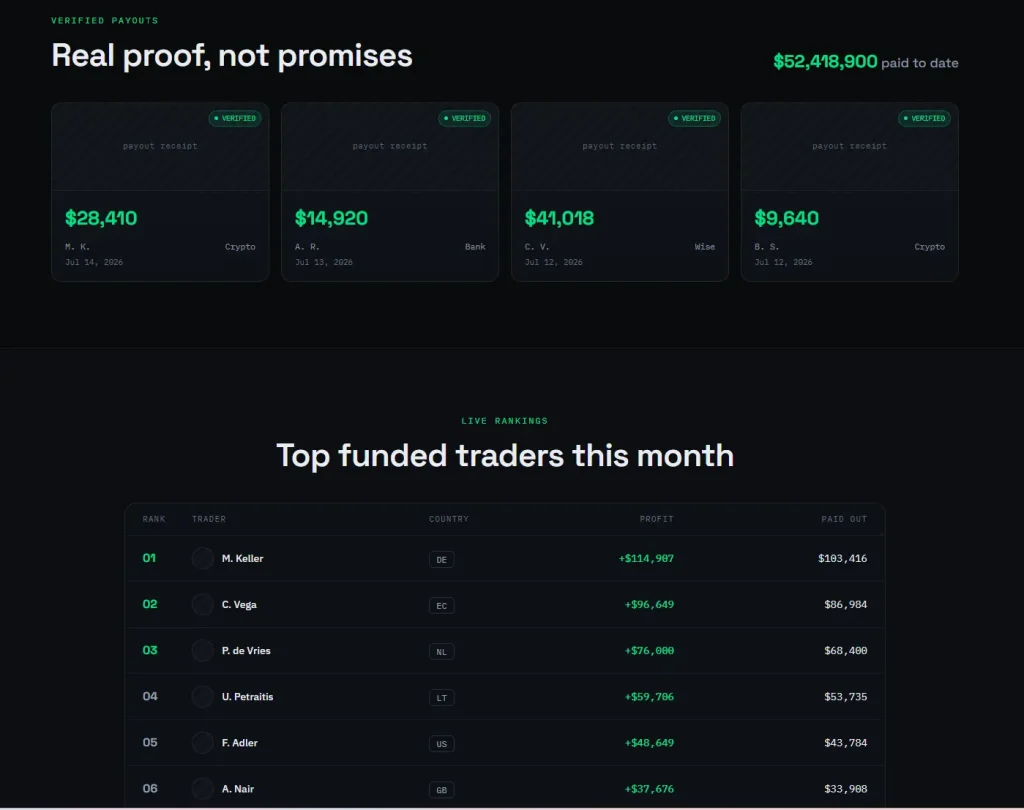 Leofins offers both MT4 and MT5, along with cTrader, TradingView, DXtrade, and Match-Trader. This gives traders more than one way to interact with its CFD trading environment.
For MT4 users, the advantage is compatibility with existing MQL4 indicators, scripts, and EAs. For MT5 users, the additional order functionality and strategy-testing environment may be more attractive. The choice should be based on the software and trading method you intend to use, rather than the assumption that one version is universally superior.
Leofins states that platform access, market data, and the necessary connections are included in the one-time challenge fee. It offers three main CFD evaluation paths: Core 2-Step, Edge 1-Step, and Starter 3-Step. These have different evaluation structures and risk limits, so the platform choice should be considered separately from the program choice.
Automation is permitted within defined boundaries
Leofins publishes support for personal EAs and algorithmic trading on MT4, MT5, and cTrader. Its rules prohibit certain strategies, including latency arbitrage and tick scalping. The ability to install an EA does not mean every automated strategy is allowed.
Before purchasing, check that your software is compatible with the platform and permitted by the current rules. Test its stop-loss handling, position sizing, symbol recognition, and order-management behavior. Differences in instrument specifications and execution conditions can affect a strategy even when the same EA is used.
Leofins states that its supported platforms connect to the same simulated funded account. Its published information also describes switching platforms for new challenges and a dashboard request process for certain existing funded accounts. Confirm the current procedure before relying on the ability to change terminals.
Current platform and program information is available at leofins.com.
Best fit: traders who want to choose between MT4 and MT5 while retaining access to several alternative platforms under one provider.
5. FundingPips: MT5 Without a Published MT4 Option
FundingPips currently lists MT5, cTrader, and Match-Trader among its supported trading platforms. MT4 is not included in its current published platform lineup.
For a trader already using MT5, the absence of MT4 may not be a concern. However, anyone relying on an MQL4 EA or a custom indicator available only for MT4 should confirm compatibility before purchasing. A move to MT5 may require redevelopment and fresh testing rather than a simple installation.
FundingPips provides setup instructions for connecting to the appropriate MT5 server using credentials supplied through the dashboard. Traders should follow the server details assigned to their account rather than selecting a server based solely on the firm’s name.
Verify the platform before trading
FundingPips states that MT5 is available in supported countries, excluding restricted jurisdictions such as the United States. Availability may also depend on the exact product and account configuration.
Before the first trade, check that the correct server appears in MetaTrader, the account credentials work, and the instruments required by your strategy are available. If automation is important, review the current EA and prohibited-strategy rules for the selected account.
Best fit: traders who are comfortable with MT5 or one of the firm’s alternatives and do not depend on an MT4-only setup.
6. BrightFunded: MT5 Alongside cTrader and DXtrade
BrightFunded offers MT5, cTrader, and DXtrade. It does not list MT4 among its current published platform options.
MT5 may suit traders who need MetaTrader’s charting tools, indicators, and automated-trading environment. cTrader and DXtrade provide alternatives for those who prefer different interfaces, but choosing another platform will not automatically solve compatibility issues for MetaTrader-specific software.
BrightFunded states that MT5 is unavailable to residents or citizens of the United States and the UAE, as well as people in other restricted jurisdictions. Platform access should therefore be verified before a trader purchases an evaluation.
The key issue for automated traders
An EA written for MT5 may not be usable on cTrader or DXtrade without being rewritten or adapted for those platforms. The same applies to custom indicators and scripts. If the strategy relies on a particular MetaTrader function, confirm that the intended account provides it.
It is also important to review the firm’s rules for the selected program. Platform compatibility does not override restrictions on prohibited trading methods or account-level risk limits.
Best fit: traders who want MT5 or a supported alternative and have confirmed that the platform is available in their jurisdiction.
7. City Traders Imperium: MT5 and a Browser-Based Alternative
City Traders Imperium (CTI) lists MT5 and Match-Trader as its trading platforms. This combination serves two different workflows: MetaTrader for traders who need its desktop terminal and Expert Advisors, and Match-Trader for those who prefer browser-based access.
CTI states that algorithmic and EA trading are supported on its programs. Its platform guidance explains that EAs are specific to MetaTrader and do not run natively on Match-Trader. Traders who rely on automation should therefore choose MT5 rather than assuming that both platforms offer the same capabilities.
Match-Trader may be useful for manual traders who want to log in through a browser without installing desktop software. CTI describes it as available to traders worldwide, including US clients, while MT5 is not offered to US clients.
Make the choice before building the workflow
If your strategy depends on a custom MT5 EA, verify that the account is eligible for MT5 and that the EA complies with CTI’s rules. If you choose Match-Trader, plan to execute trades through its own interface and tools rather than expecting MetaTrader automation to transfer.
CTI describes its trading programs as simulated skill assessments using virtual capital. As with other retail prop firms, traders should read the agreement to understand how performance rewards work and what conditions apply.
Best fit: traders who want MT5 automation where available, or manual traders who prefer a browser-based alternative.
Choose by Trading Scenario, Not by Platform Popularity
The most useful way to narrow the list is to start with your existing workflow. The following guide maps common requirements to the firms that are worth investigating first.
| Your Main Requirement | Firms to Investigate First | Why |
|---|---|---|
| Keep an existing MQL4 EA | FTMO, FundedNext, Leofins | All list MT4 for eligible accounts, subject to regional and program conditions |
| Use MT5 with manual trading | FTMO, FundedNext, The5ers, Leofins, FundingPips, BrightFunded, CTI | All list MT5, but availability depends on location and product |
| Run an MT5 Expert Advisor | FTMO, FundedNext, Leofins, CTI | Check the selected account’s automation rules; FundedNext has account-size restrictions |
| Avoid desktop installation | Consider Match-Trader where offered | Browser-based access is useful for manual trading, but does not run MetaTrader EAs natively |
| Switch platforms later | Check the firm’s written policy before purchase | Some firms lock the selection after the first trade or after account purchase |
| Trade from the United States | Verify regional platform availability first | Several firms restrict MetaTrader access for US clients |
| Use a specific custom indicator | Confirm the exact platform and version | MT4 indicators do not automatically run on MT5 or third-party terminals |
This is a starting point rather than a guarantee that a firm is suitable. The exact challenge, jurisdiction, account size, and trading method determine the final answer.
Five Checks Before Paying for a MetaTrader Challenge
Confirm the platform on the checkout page. A provider may support MT5 generally but not for every product or country. Save the terms associated with the account you intend to purchase.
Test the EA version. MQL4 and MQL5 are different programming languages. Check the developer’s documentation and test the correct version before beginning an evaluation.
Read the automation policy. A platform can support EAs while the prop firm restricts them for certain account sizes or prohibits specific strategies. Review the actual rules, not just the platform’s technical capabilities.
Check switching restrictions. Some firms lock the platform after the first trade, and others do not permit switching after purchase. Decide before activating the account.
Understand the risk framework. Daily loss limits, maximum drawdown, news restrictions, and position rules can affect the strategy regardless of platform. A compatible EA can still breach the challenge if its risk logic does not match the firm’s limits.
Frequently Asked Questions
Is MT5 better than MT4 for prop trading?
MT5 offers additional order types, more chart timeframes, and a more advanced strategy tester. MT4 can be the more practical choice if your strategy depends on existing MQL4 code. The best platform is the one that supports your system and is available under the firm’s rules.
Can an MT4 Expert Advisor run on MT5?
Not automatically. MT4 uses MQL4 and MT5 uses MQL5. An EA generally needs an MT5-compatible version or redevelopment. Test the correct version before paying for a challenge.
Which prop firms on this list offer MT4?
FTMO, FundedNext, and Leofins list MT4 for eligible accounts, subject to current regional and program restrictions. The other firms in this comparison list MT5 but do not include MT4 in their current published platform lineup.
Can I use an EA on every MT5 prop account?
No. The platform’s technical capabilities do not determine the firm’s policy. FundedNext, for example, publishes restrictions based on account size and platform choice. Other firms also prohibit certain trading methods. Check the current rules for the exact program.
Are MetaTrader prop accounts live?
Many retail prop firm evaluations and funded stages use simulated accounts. MetaTrader is the trading interface and does not prove that an account uses live brokerage execution. Review the provider’s agreement and disclosures to understand how performance rewards are calculated.
Does switching from MT4 to MT5 improve trading performance?
Not by itself. MT5 can offer useful technical features, but performance depends on the strategy, implementation, costs, and execution conditions. Changing platforms can introduce new compatibility issues and should be tested before using a system in a challenge.
The Right Platform Is the One Your Strategy Can Actually Use
MT4 remains relevant for traders with established MQL4 systems, but MT5 is available from more firms in this comparison. FTMO, FundedNext, and Leofins offer both versions for eligible accounts, while The5ers, FundingPips, BrightFunded, and City Traders Imperium currently emphasize MT5 and alternative platforms.
For automated traders, compatibility is only the first step. The account must also permit the EA, the platform must be available in the trader’s country, and the strategy must comply with risk and prohibited-trading rules. Manual traders have more flexibility, but they still need to check instruments, order types, and switching policies.
Before purchasing, verify the platform and account terms together. That small step can prevent the expensive discovery that the software you rely on is not supported—or is not permitted—where you intended to trade.
Prices and conditions are current as of October 2026.
Risk disclaimer: Proprietary trading evaluations involve financial risk. Challenge fees may be lost if an evaluation is unsuccessful or program rules are breached. Simulated trading and funded-program results do not guarantee future performance or income. Review the current terms carefully and never spend money you cannot afford to lose.



Залишити відповідь